Official app

Download the bet56 App and Play Online Casino on Your Phone with Complete Freedom

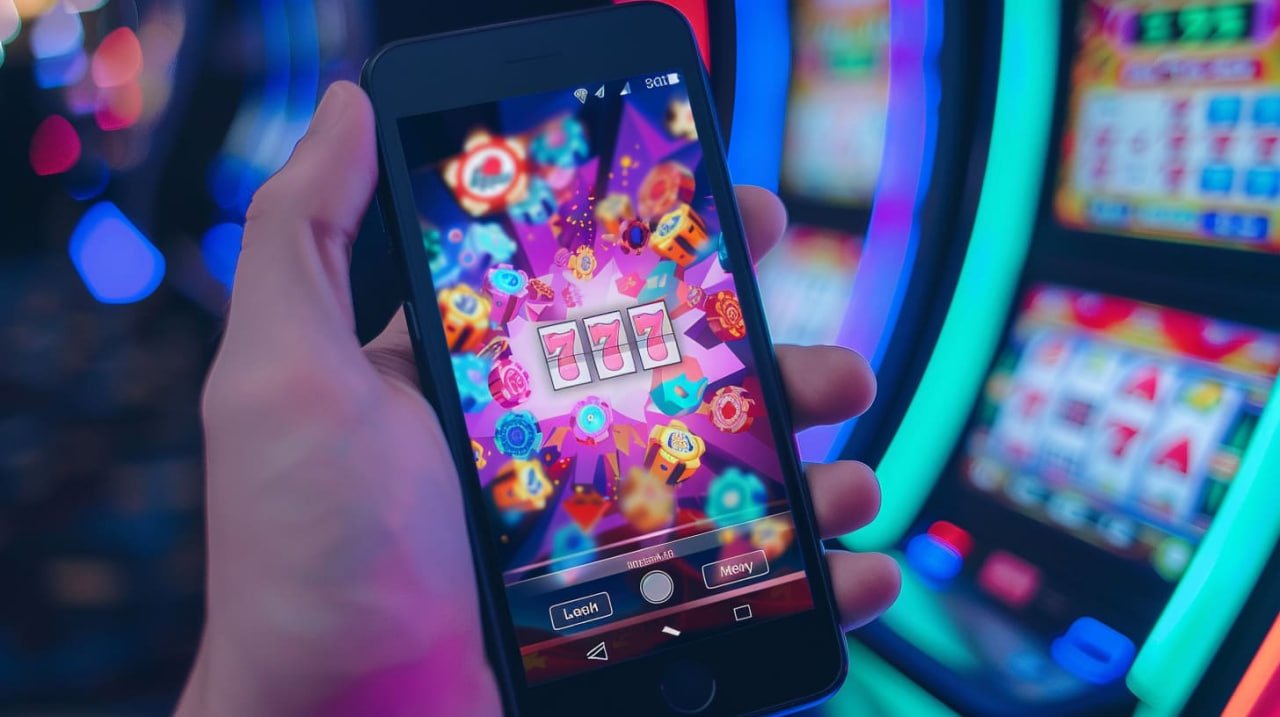
The bet56 app is available for Android and iOS. Fast, secure, and with all the games you already know — slots, fish games, live casino, and sports betting — now in your pocket.

bet56

Choose your platform and download now

The bet56 app was built to run smoothly on both Android smartphones and iPhones and iPads running iOS.

Android

Compatible with Android 7.0 or higher. Download directly from your mobile browser — no Google Play required.

  • APK installation in under 2 minutes
  • Automatic updates from within the app
  • Lightweight — less than 40 MB of storage
  • Promotion and withdrawal notifications
Download for Android

IPhone / iPad

Compatible with iOS 13 or higher. Add the app to your iPhone home screen directly through Safari — no App Store required.

  • Works as a native app on the home screen
  • Retina display optimized interface
  • Face ID and Touch ID support
  • Without taking up excessive space on your iPhone
Download for iOS
Prefer to play directly in the browser? The bet56 web version works on any device, no installation required.
bet56

How to install the bet56 on Android

Installing the bet56 app on Android is straightforward, but since it is distributed as an APK (outside of Google Play), you need to enable a quick permission on your phone first. See the full process below:

1
Access the Download page from your mobile device

Open your Android browser (Chrome, Firefox, or any other) and go to the bet56 download page. The download button will be visible right at the top.

2
Tap "Download for Android"

The APK file will start downloading automatically to the Downloads folder on your device. Depending on your connection, it takes less than a minute.

3
Enable "Unknown sources"

When you try to open the APK, Android will ask for permission to install apps from external sources. Go to Settings > Security and enable the option for your browser. This permission can be disabled after installation.

4
Install and open the app

Tap the downloaded file, confirm the installation, and wait. Within seconds the bet56 icon will appear on your home screen, ready to use.

5
Log in or register

Open the app, sign in to your existing account or create a new one in under two minutes. Then just deposit via Pix and start playing.

Installing bet56 on iPhone via Safari

On iOS, bet56 works as a Progressive Web App (PWA), meaning you add the site to your home screen and it behaves like a native app — with its own icon, full-screen display, and fast loading. The process is simple:

1
Open Safari on your iPhone or iPad

The bet56 PWA works best through Safari. Other browsers such as Chrome for iOS may have limitations when adding to the home screen.

2
Visit bet56.vu via Safari

Type the address in the browser bar and wait for the site to load completely. The mobile version is already optimized for small screens.

3
Tap the Share icon

In the Safari bottom bar, tap the Share icon (the box with an arrow pointing up). A menu will appear with several options.

4
Select "Add to Home Screen"

Scroll the menu and tap "Add to Home Screen". Confirm the name "bet56" and tap "Add" in the upper right corner.

5
Done — open from your home screen

The bet56 icon will appear on your home screen just like any other app. Tap it and the site opens full-screen, with no address bar, exactly like a native app.

bet56
Important tip

After adding to the home screen, iOS saves the site data locally. This means subsequent loads are much faster, even on slower connections — a real advantage for playing in areas with limited 3G or 4G.

Why play on the bet56 make a difference?

The app is not just a smaller version of the site. It was designed for a true mobile experience.

Faster loading

Games load with lower latency in the app than through the default browser, especially on 4G connections. Less waiting, more playing.

Real-time notifications

Get alerts for exclusive promotions, Pix withdrawal confirmations, and bonus notifications directly on your phone screen, without having to keep checking the site.

Biometric login

On iOS the app supports Face ID and Touch ID. On Android it works with the fingerprint registered on your phone. Your account stays protected and access is instant.

Native dark mode

The bet56 interface was designed with a dark theme that is easy on the eyes during long sessions — ideal for playing at night or in low ambient light.

Connection instability tolerance

The app keeps the session active even during brief signal drops. When the connection returns, you pick up exactly where you left off, with no progress lost.

Pix directly through the app

Make deposits and withdrawals via Pix without leaving the app. The Pix key can be CPF, email, phone number, or random — the process takes less than a minute.

Play wherever you are, whenever you want

With the bet56 app installed on your phone, you have access to slots, fish games, live casino, and sports betting at any time of day — on the bus, at home, or wherever life takes you.

Minimum requirements for the system

The bet56 app was built to be lightweight and accessible. It runs well even on mid-range phones.

Android operating system Android 7.0 (Nougat) or later
Processor Quad-core 1.4 GHz or higher
RAM Minimum 2 GB RAM
Storage Approximately 40 MB free
Connection Wi-Fi or mobile data 3G/4G/5G

For iPhone and iPad, the bet56 PWA runs stably on the latest versions of iOS.

iOS operating system iOS 13 or later
Recommended browser Safari (updated version for best compatibility)
Storage Cache of approximately 20 MB
Compatible devices iPhone 6s or later; iPad 5th generation and above
Connection Wi-Fi or mobile data 3G/4G/5G

All games from bet56 on your phone

When you install the bet56 app, you are not downloading a cut-down version of the casino. The full catalog is available — just as it appears on desktop, with high-resolution graphics adapted to your phone's screen size.

Fish games, which by nature require precise aiming controls, work with the touchscreen in a surprisingly intuitive way. You tap the creature you want to shoot and the cannon fires automatically in that direction — an experience that in practice feels even more natural on mobile than using a mouse on a computer.

Slots run just as smoothly, live casino games stream in high quality, and sports betting lets you follow odds in real time with automatic updates. bet56 makes no compromises on quality just because you are on mobile.

There is more: the app saves your game history and preferences, so when you come back after a few days, it opens straight to the games you play most. Small details that make the everyday experience more enjoyable.

Fish Games
Optimized touchscreen
Slots
High mobile resolution
Live Casino
HD streaming
Betting
Live odds
bet56

FAQ — Download and Installation

Yes, downloading and installing the bet56 app is completely free. You pay nothing to download the app. The amounts involved are only the deposits and bets you choose to make within the platform — and that is entirely optional, as many games have a free demo mode.

Google Play has specific restrictions for betting and casino apps in certain countries. For this reason, bet56 distributes the app directly via APK, which is a common and safe practice among online entertainment platforms. The available file is official and undergoes periodic security checks.

As long as you download the APK directly from the official bet56 website, yes. The "unknown sources" permission is only required during installation. Once the app is installed, you can disable that permission again in your Android settings. We recommend never downloading APKs from third-party sites posing as bet56.

The bet56 app automatically notifies you when an update is available. A notification appears on screen or a banner inside the app lets you know a newer version exists. Just tap the alert and the update downloads automatically — no need to go back to the download page.

Yes. The bet56 account is a single account that works across all devices. You can start a session on your phone, pause, and continue on your computer without losing anything. Your balance, game history, and settings are synced to your account, not to the device.

Yes. The Android APK is compatible with tablets running Android 7.0 or higher, and the interface automatically adapts to the larger screen. On iPad, the PWA via Safari also works great — the iPad's larger screen is especially good for fish games and live casino, where you can see more detail.

Download the app from bet56 and take the casino wherever you go

Register for free, deposit in BRL via Pix, and enjoy all bet56 games directly from your Android or iPhone.

Português (Brasil)